Publié le 23 Août 2021
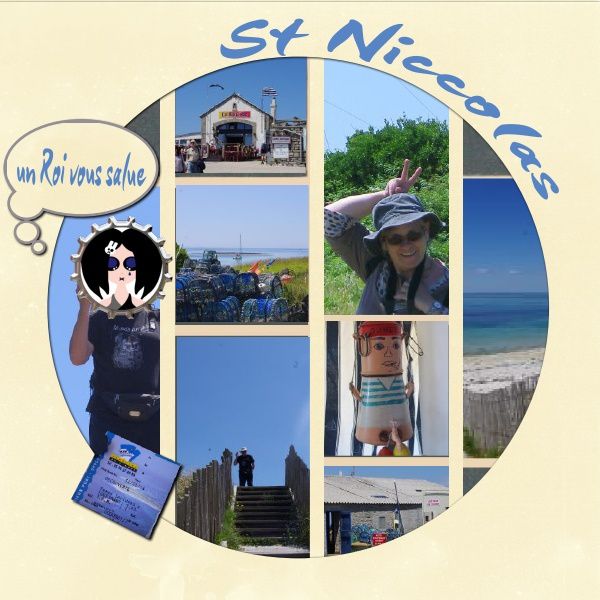
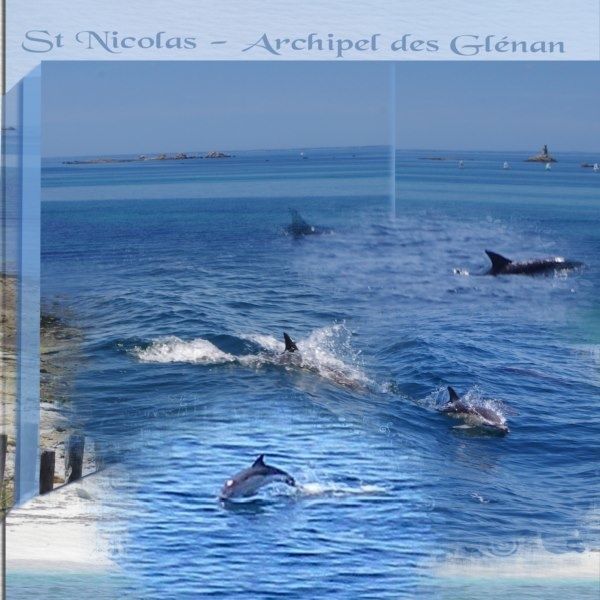
page d'inspiration : scrapdeLaurianne - animatrice Azza, dans la Somme (*) avec le gabarit Charleston
/image%2F0704642%2F20230221%2Fob_ffe1b6_les-glenan-93.jpg)
si vous ne l'avez pas déjà récupérée, vous trouverez ma mouette détourée ici (balade à Pont Aven)
Invitation à découvrir le scrap et la Bretagne.. ............................................................... . Pour toute demande ou message, merci de privilégier le commentaire sur un article (plutôt que le formulaire "contact", susceptible d'être "spammé"). Informations complémentaires en page d'accueil. Je vous souhaite une belle journée :)
Publié le 23 Août 2021
page d'inspiration : scrapdeLaurianne - animatrice Azza, dans la Somme (*) avec le gabarit Charleston
/image%2F0704642%2F20230221%2Fob_ffe1b6_les-glenan-93.jpg)
si vous ne l'avez pas déjà récupérée, vous trouverez ma mouette détourée ici (balade à Pont Aven)
Publié le 1 Août 2021
Publié le 31 Juillet 2021
Hello
If you like, or want to discover digi-scrap (picture arrangements), you will find some suggestions here.
Studio-Scrap is an easy to use software that you can try (and purchase). I do not earn anything if you buy it, so feel free in your choices ! In this blog, you will find ready-to-use models for this software, as well as PNG masks for others, and some explanations
(mine, and links to other blogs). They are free for your personal use.
I created this blog only a few months ago, but I decided to use the calendar on a somewhat broader basis for a pleasing visit, according to me at least.
It's not a huge gallery of travel, or even of photos, but simply an invitation to scrap through short walks . The new pages will remain at the beginning of this blog for a few days and then will be added into the previous month's, according to their subject. Click at will on the links in blue text, to discover what is hidden !
Except on this page, all the texts are in French, but the models are ready to use without needing any explanation. However, do not hesitate to request any help, I can translate some explanations into English or Spanish.
2013 and 2014 : strolls and rambles
The models are illustrated with pictures taken during some journeys here and there, in France,
Some pages are dedicated to the city of Tours and the Touraine , and some will lead a little bit further in Region Centre , or to the Pays de Loire,
We will visit Brittany, and some of its islands
and also the Perche (in Normandy), and also Paris
and we'll travell also in the United States, Ireland, or London
2012: Nature
Nature itself is beautiful, so some models are just illustrated with plants and trees, or with animals.
2011: Family
For a change, I also used some family photos, first cries, first steps , childhood, teenage years (to respect their privacy, adults are masked). Scrapping is only a game, sometimes my imagination breaks reality !
2012: Technical hints - only in french, sorry !
All links to blogs that fascinate me, and most of the tutorials (although some remain scattered here and there), as well as links to those other scrap bookers are available on 2012. I tried to take into account the level of difficulty :
First, some general hints, and basic information to get started with Studio Scrap and some enhancement exercises.
I also added links for some free additional softwares, easy to use, and information about the use of masks.
Finally, you will be able to create simple special effects, before tackling more impressive ones.
Hello
If you like, or want to discover digi-scrap (pictures arrangements), you will find some hints here.
I “work” with Studio-Scrap, an easy to use software that you can try (and buy) . You will find ready-to-use models, as well as PNG masks for other software, and some explanations ( mine, and links to other blogs ) . They are free for personal use. I created this blog there is less than a year, but to facilitate travel between the pages , I decided to use the calendar on a somewhat broader basis
Do not dream , it's not a huge gallery of travel, or even photos, but merely an invitation to scrap through short walks . I will let the new pages a few days ahead of this blog, then I will integrate them to the previous months, according to their subject. Click at will on the links in blue text, to discover what is hidden !
2013 and 2014 : strolls and rambles
The models are illustrated with pictures taken during some journeys here and there, in
Some pages are dedicated to the city of Tours and the
Nature itself is beautiful , so some models are just illustrated with plants and trees, or with animals.
2011: Family
For a change, I also used some family pictures, first shouts, first steps , childhood, teenage years (in these, my personages are masked, respect for privacy !). Scrap is only a game, sometimes my imagination breaks reality !
2012: Technical hints - only in french, sorry !
Here you will find all links to blogs that fascinate me. Most of the tutorials (although some remain scattered here and there), as well as links to those other scrapbookers are available on 2012. I tried to classify the level of difficulty.
First, some general hints, and basic information to get started with Studio Scrap and some enhancement exercises.
I also added links for some free additional softwares, easy to use, and information about the use of masks.
Finally, you will create simple special effects, before tackling more impressive ones.
This page seems to be "looked at" quite often ; it's too difficult for me to make a new version as often as I should, so there is no actualisation
If you need some information in English, and if your translator does not help sufficently, do not hesitate to send a question in the "comments", I'll try to answer you. It may not be perfectly written, but hopefully it will be helpfull.
Publié le 9 Juillet 2021
/image%2F0704642%2F20230725%2Fob_7624e8_00-fleche-0-rouge.png)
clic (to go directly to the next article, if you already read this one ) - maj
/image%2F0704642%2F20260315%2Fob_ebce66_3-fleche-1-verte.png)
the different offers - 2026
Hi Marjolijn
I'm sorry for the lost of V 7 version .. you may try to install it on your new computer if you haved saved the installation set up
/image%2F0704642%2F20260311%2Fob_e33b5e_79.png)
and your serial number (or something like "activation key" ). If not, I'm afraid you will have no other choice than buy the new V9.
Actually, even if you have kept both, I'm not sure that the V7 will work correctly on your new computer : I had some difficulties to install it when I changed my computer, then I used it comfortably for more than a year but it fell down about a month ago and I had to install the V9.
Do not worry, it's not such a desisaster ... I was also very reluctant, but it's not so bad
Maybe I misundersood the first information on V9, maybe the CDIP changed the software : it is not necessary to be connected to Internet when you use it.
It is necessary to install the software and to get some elements, but after that, you can use it even when you are not connected :
/image%2F0704642%2F20260311%2Fob_202d93_78.png)
(It may be necessary to be connected once in a while - I do not have enough experience to be sure)
You can make a first try with the free version
If you find it convenient for you, and if you don't want to pay every month, you can get the "permanent version" for 20 € (as you already bought the V7 ) -
march 2026 prices
| the free version ~ 248 elements - a free access during 7 days to 50 kits |
| DE LUXE "permanent version" - without subscription - without updating - ~ 3 500 elements included - you can buy complementary kits | ||
![]()
|
||
| for new customers | this will be convenient for you : you already bought the V7 version | a nicer look ? For a gift ??? |
/image%2F0704642%2F20260315%2Fob_4c0ac6_73.png)
| various options of subscriptions - include up-dating | |||
![]()
|
|||
| the prices above correspond to one year use (2 months free)- March 202 | |||
| DE LUXE | FUTEE | PASSION | PRO |
|
it seems to be the same as above, but it costs 30 € per year instead of 40 € for new customers |
50 kits & mini-kits included of ~ 250 elements each |
213 Kits included - the future ones seem to be also included | for professionnal users : the same as "Passion" - plus the possibility to use the software on two computers at the same time and the rigth to sell your creations |
| or 3 € per month | 6 € per month | 10 € per month | 30 € per month |
/image%2F0704642%2F20260315%2Fob_4d794e_72.png)
I hope you will enjoy scrap again !
Liliscrap (from CDIP team), gave me some more information here .. and accepted that I copy them here
Publié le 8 Juillet 2021
Publié le 7 Juillet 2021
A few tips here
On Geoportail, choosing "carte IGN", you will find good maps (much better than Google) https://www.geoportail.gouv.fr/carte
it shows lots of points of interest ; you can check whether you want to visit them or not
This map (SCAN 25), is not supposed to be shared on Internet. I hope Geoportail will understand it's just for "advertisement" purpous and will not mind this exception.
If you plan to share plans, please use the "plan" (which is an Open source data)
Cirkwi is a great help, and indicates monuments near the place you plan to visit
Some cities seem to have "no existence" on Cirkwi ; you may find them on Visorando - if you want to see the maps on a full screen, it will be easier if you create your own account on their site (free)
Ma rando facile (my easy hike) proposes to bring your luggage from place to place..
In my youth, they were only dormitories for group of hikers ; now, most of them include small rooms for two or three persons. And with the Covid, most of them demand that only one group stay in a room, which means that if you are hiking on your own, you will be considered as a group, of one person.
You will find most of them here
some cities have their own "gite d'étape", or "gite communal", which may not be indicated in these websites.
Most of the "gites" are indicated on Geoportail map, with a green house
seen from a different point of view
Marjolijn indicates me this website : bretagne-vakantie ; it seems very interesting
Publié le 7 Juillet 2021
On the page published yesterday, Marjolijn says she likes the word Voyage
It's included in the set "sur la route" du CDIP" .. and particularly in the template St Tropez created by Marie Rose Moyson.
The easiest is to buy this set, which includes beautifull accessories.
Other option :
for the "temporary mask" file, see here (and do'not hesitate to ask, if you don't understand something)
/image%2F0704642%2F20221215%2Fob_42aa68_realisation-du-15-12-22-page-1.jpg)
Publié le 7 Juillet 2021
I won't be able to translate everything, so this is just a short reminder..
You will find lists of free bundles here
The CDIP sells beautiful collections - and sometimes the make special offers at a reduced price.
Here are my favorite ones, which can be used either with or without the Studioscrap software
For my personal comfort, I grouped them according to themes that make sense to me - they may not correspond to your own criteria, and it is certainly wiser to keep the original classification. Often, I mixed different sets in my folders, the name of each one is highlighted in yellow
Publié le 7 Juillet 2021
Hello,
As I looked for them for a good friend, these are a few links to download some free OR easy to use softwares
I cannot translate everything I wrote about Affinity, but you will easily find information in English.. For instance :
However, I listed my favorite ones here (one click on the filter will show you its works) - and you can see most of them
There was one thing I had difficulties to find information about :
As my English is not as fluent as it used to be, you may understand me better by going to the french version and ask Google to translate it. Nonetheless, I'll try to give you some indications here.
The 584 G'MIC filters are just like Ali Baba's cave, and it will save me some time if I can get direct access to my favorite ones. I went through big hesitations, when
I met some difficulties to add this file on my Affinity program, though it’s very simple when you know the goog checkboxes.
Just open Affinity, and the G'Mic modules, and check these arrows are "clickable"
![]() on mine, they were not |
but, choosing any filter available, they did appear in clear |
|
So I went back to my selection : "G'MIC - mes préférées" and chose the first one |
right clic on the filter - add to your faves |
|
so I added all my favorite filters to the adequate file, and added a color mark corresponding to the desired effect |
of course, my favorite list is totally subjective, as well as the sorting by effect ! I need also some more time to do the same thing among the "testing group"- even if already selected some of them |
this printscreen might be easier to look at ?
/image%2F0704642%2F20230116%2Fob_3617fe_0.jpg)
Publié le 6 Juillet 2021
I'll try to add a few technical indications in English, when needed, and group them here, using a publication date in July 2021
Sorry for any spelling or grammatical errors, I used to speak English fluently, that was a long time ago!
Don't hesitate to send me your questions here